An accepted order is not automatically a filled position. To work out what happened, separate the request, the executed quantity, any unfilled remainder and the resulting trade or account record. A single word such as “pending” or “canceled” cannot answer all four questions.
This is a reading and troubleshooting checklist for binary prediction-market orders. The Kalshi API and Polymarket's international CLOB use different schemas. The examples below are normalized fictional records, not account screenshots, exact API payloads or a test of funded execution.
Start with the order identifier and observation time
Keep the order ID, market, outcome side, original quantity, price boundary and time of the request. When comparing screens or API responses, check that they refer to that same order and the same point in its lifecycle.
A request timeout leaves the result uncertain. It does not prove the exchange rejected the order. Before submitting another, inspect the original order or account history through the venue's documented workflow. Otherwise, an attempt to fix a missing confirmation can create duplicate exposure.
Do not infer your fill from someone else's public trade at the same price. It may belong to another order. The order-book guide explains why price and available quantity are only part of execution.
Check filled quantity and the unfilled remainder
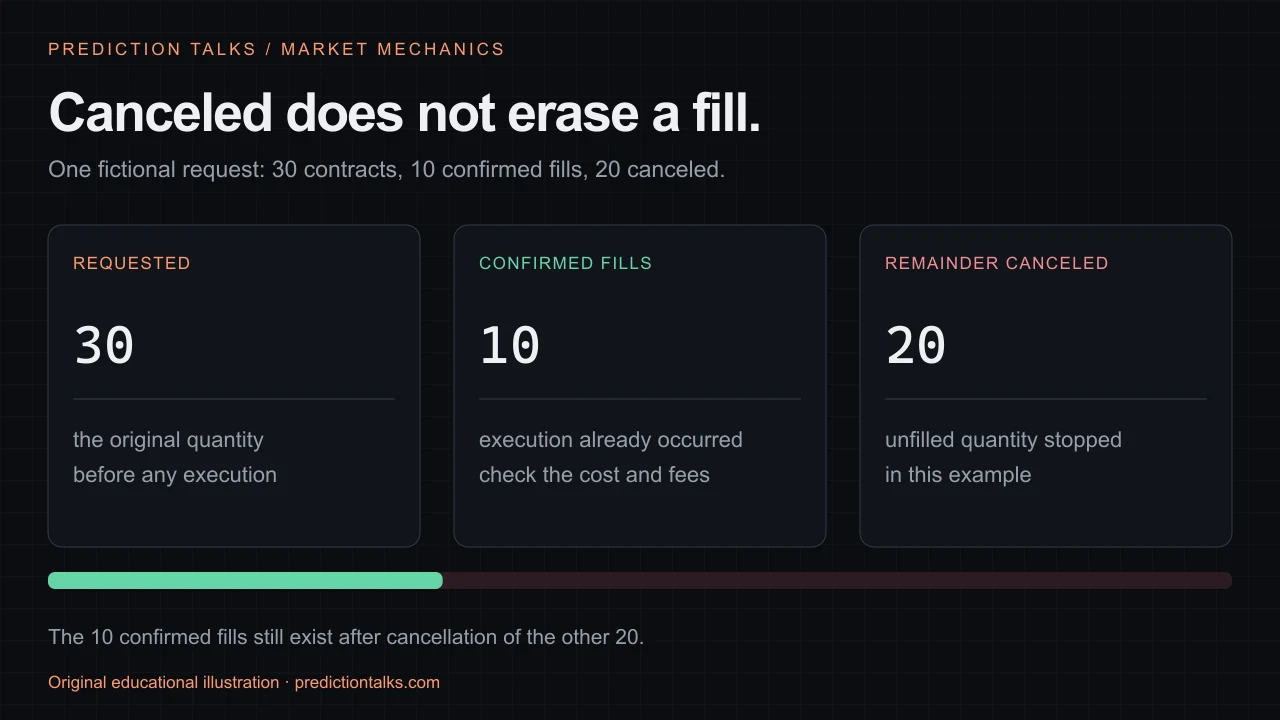
Imagine an order to buy 30 contracts. Ten are confirmed filled at 62 cents, while the other 20 have not matched. The purchase cost for those ten is $6.20 before fees. The result is neither a complete 30-contract position nor zero activity.
If the unfilled 20 are subsequently canceled, that cancellation does not undo the ten confirmed fills. A terminal order and an existing position can coexist. Record which quantity stopped working and which execution still requires accounting.
This example is deliberately simple. Order amendments, reductions, fees and venue-specific remaining-quantity semantics need their own records. Do not force every final API response into “initial equals current open plus filled” after a cancellation without checking what each field represents.
You can reproduce the first part in the order-book simulator: 30 contracts at a 62-cent limit produce ten immediate matches and 20 unmatched contracts in its fixed example. The simulator does not send or cancel an exchange order.
Reading Kalshi order records
Kalshi's Get Orders documentation lists resting, canceled and executed filters. Its order model exposes initial_count_fp, fill_count_fp and remaining_count_fp; these are fixed-point contract counts. Read the quantities with the status instead of treating the status as a complete transaction report.
The model supports fractional counts for enabled markets, so a generic parser should not discard decimals. Keep quantities separate from dollar price, fill-cost and fee fields. Account order reads require authentication; public market-data access does not disclose a user's private orders.
Older canceled or executed orders can fall behind the documented historical cutoff. Kalshi directs those reads to its historical-order endpoint, while resting orders remain available through the regular order list. An empty filtered response is not sufficient evidence that an order never existed.
Reading Polymarket order and trade states
Polymarket's international lifecycle documentation distinguishes order placement states such as live, matched and delayed from trade states. A delayed placement is pending, not proof of a fill. Configured delay windows can also restrict cancellation.
The separate trade lifecycle includes MATCHED, MINED, CONFIRMED, RETRYING and FAILED. Matching and successful finality are distinct observations. Preserve the trade identifiers and inspect the relevant updates instead of mapping every accepted response to a settled position.
An order instruction matters too: FAK can execute an available portion and cancel the rest; FOK requires an immediate complete match or none. Cancellation concerns an eligible unfilled remainder, not an instruction to erase previous fills. Use the documentation for the actual product and client version; do not transplant these CLOB labels into the regulated US product or Kalshi.
A cancellation needs a confirmed result
Write down when cancellation was requested, what the service returned and the later observed order state. Matching and cancellation can race. A local button press or a network request alone does not establish the final active quantity.
If an order is no longer open, inspect its fills and resulting position before concluding that nothing happened. Canceling an order, closing a position, redeeming a resolved outcome and withdrawing cash are different operations.
For a bot, retain state transitions rather than overwriting them with the newest label. Link fills to their order IDs and avoid counting the same fill twice after a reconnect. A paper-trading test plan should include partial fills, delayed updates, timeout uncertainty and cancellation races.
What to collect before contacting support
Prepare a concise private record: product, market/outcome, order ID, request time, latest observation time, requested and filled quantities, fees if available, trade identifiers and the exact message displayed. Exclude credentials and sensitive account documents from public posts.
For example: “The request was for 30 contracts; the account shows ten fills; cancellation was requested for the remainder, but I cannot establish its final state.” That describes the unresolved step more precisely than “my order disappeared.” Contact the venue through its official support channel; do not give a third-party troubleshooting tool your signing keys.