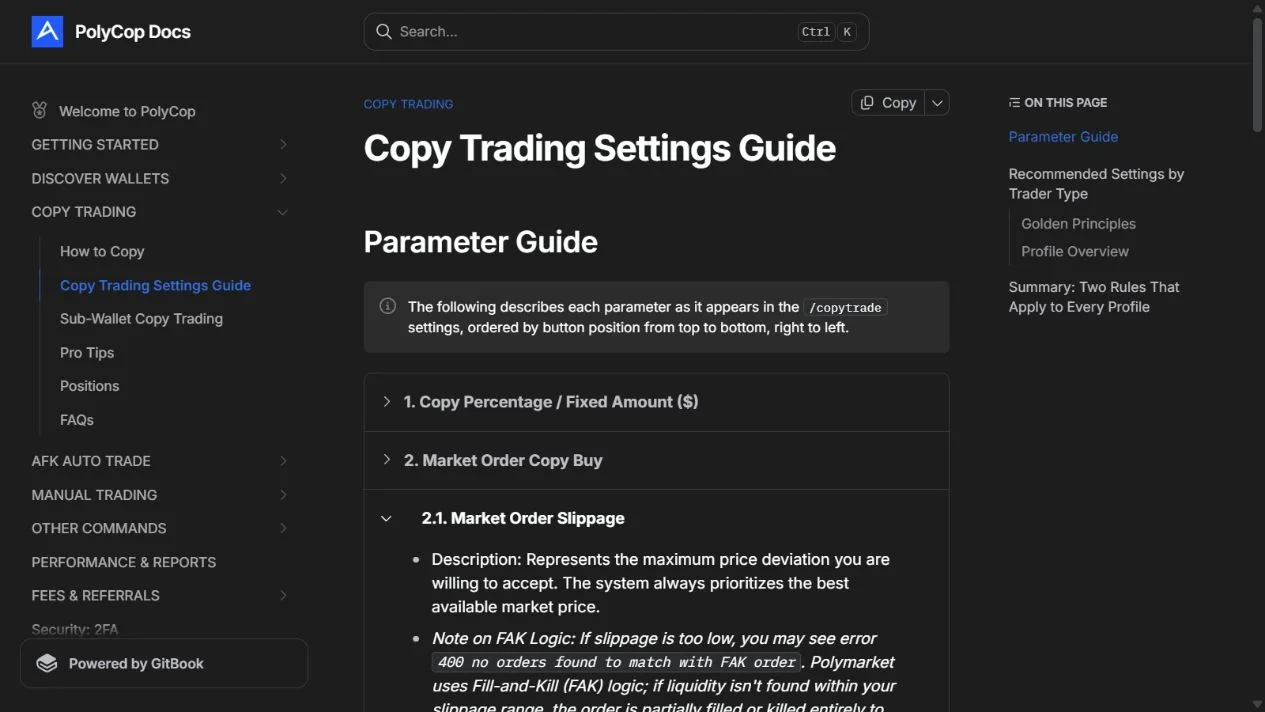
PolyCop is a Telegram service that can submit Polymarket trades based on a target wallet's activity. Its documentation covers proportional or fixed sizing, market and limit orders, price controls, exposure caps and multiple wallet-management features.
We reviewed its current public documentation on October 21, 2026. We did not create, connect or fund a bot wallet, and we did not verify its advertised speed or trading results. This guide helps you understand the controls before deciding whether the service fits a permitted use case. It does not establish eligibility for Polymarket's international trading product.
Understand the wallet model first
The official wallet guide describes creating a service wallet or importing a wallet with a private key, as well as exporting keys. That is a materially different access model from entering a public address in an analytics dashboard.
Before using an execution service, identify who can sign, how access can be removed, where funds and positions remain, and how you would recover control if the service became unavailable. Never use a research article, sponsored search result or an unsolicited message as the authority for a bot's identity. Follow the current official documentation.
Our tool directory keeps public-data research tools separate from services that need trading authority.
Read the task setup without activating it
The documented flow starts from /copytrade, creates a copy task and accepts a target wallet address or profile link. It then exposes settings for that target. Defaults can also apply to newly created tasks.
The activation control is an execution boundary. Review the saved target, sizing, order mode and limits before crossing it. A research walkthrough does not require activating a task or depositing money.
Start with the trader PnL review, then the copyability checklist. A high displayed profit alone is not enough to configure an executor.
Work through the sizing arithmetic
PolyCop documents percentage mode as a fraction of the target's trade value and fixed mode as a chosen amount per trade. These do not mean the same thing as a fraction of your own total account.
For an illustrative target trade of $300, a 5% copy ratio produces $15 before other controls. If your account has $500 available, that proposed $15 is 3% of your balance. Without knowing the target's full capital, you cannot assume the two accounts have matching portfolio exposure.
Minimum-order behavior, minimum-per-trade settings and maximum-per-trade caps can alter the amount. A setting that rounds a small copy up to a minimum may make repeated small target trades disproportionately important for a small account. Check the resulting amount, not only the percentage field.
Choose a price policy, not just a speed setting
Market copying trades off fill probability against price movement and available liquidity. The settings guide describes a slippage control and Fill-and-Kill behavior: an order may fill partly or fail when acceptable liquidity is unavailable.
Limit copying adds a chosen price rule and an expiry. The documentation also describes an option to convert an expiring limit into a market order. If enabled, that changes what happens when the original price condition does not fill.
A faster mode is not evidence that the follower receives the target's price. Read the spread and slippage guide, and compare actual order records with the trigger you intended to copy.
Distinguish the different limits
A per-trade maximum constrains one order. A per-market limit concerns accumulation across a market. The asset-level control is narrower still, while a total spend limit concerns the overall task. These controls answer different questions.
Buy/sell toggles also deserve a deliberate review. Disabling buys while retaining sells is not the same as pausing all copying. The current settings reference describes interactions between sell modes and take-profit/stop-loss functionality; check the current compatibility text rather than assuming all controls operate together.
Read the applicable fees before evaluating whether an observed edge could survive execution. This review does not advertise a verified all-in cost or promise that a service's default profile is appropriate for your capital.
Know what stop actually means
PolyCop's how-to page says pausing prevents new copied trades while existing positions remain open. Deleting the task also does not automatically close those positions. Its balance-trigger descriptions likewise distinguish stopping a task from liquidating a portfolio.
Write down the intended exit behavior before using any automated system. You need to know what happens to open positions, pending orders and future triggers separately. A label such as stop loss does not guarantee an exit at a particular price in thin liquidity.
If you only want to observe a wallet, use an analytics or public-data workflow instead of granting execution access. If you evaluate copying further, keep a record of triggers, requested orders, actual fills, fees and missed exits. The target's PnL is not the performance report for your copy task.