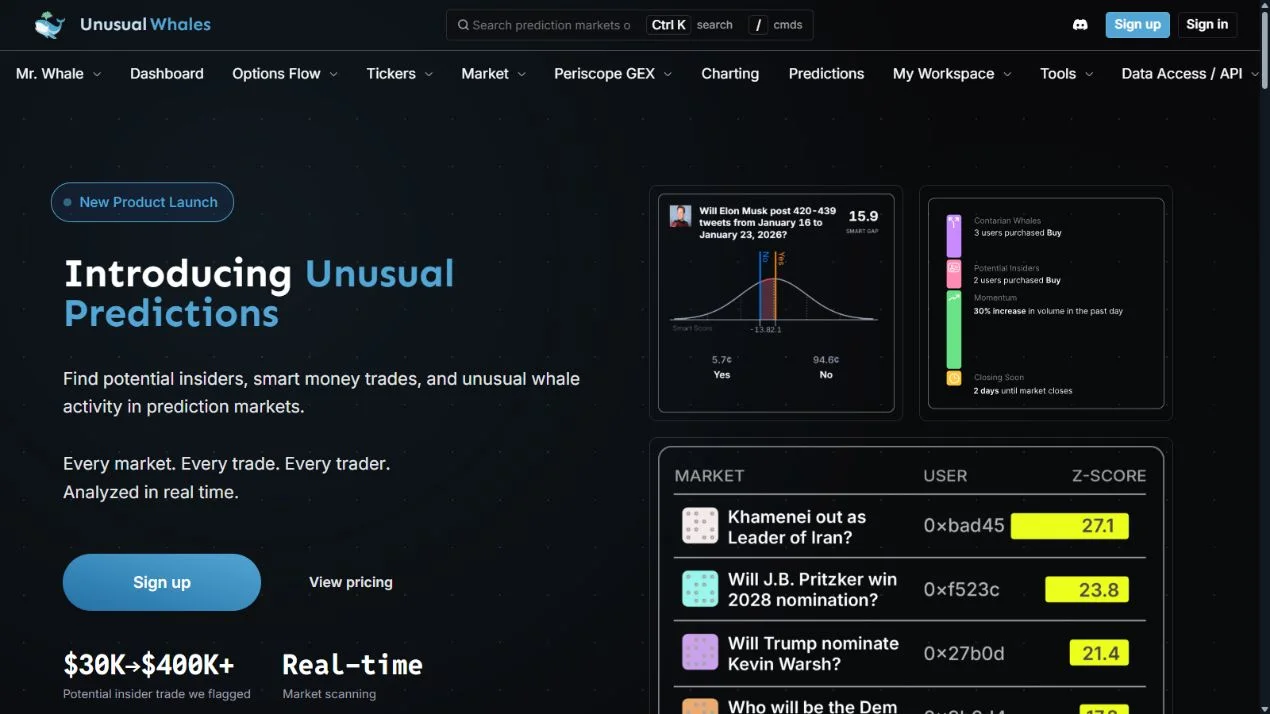
If an older guide tells you to open Hashdive's screeners, first check where the product now lives. On October 21, 2026, Hashdive's homepage displayed a migration notice pointing its markets, traders and tools to Unusual Whales Predictions.
The current public Unusual Predictions page describes Smart Money Tracking, whale trades, Smart Gap analysis, potential-insider screening and alerts. This guide explains how to turn those features into a research workflow. We reviewed the public pages; we did not test subscriber-only screens with a funded trading account.
Use the current destination
Start from the link on Hashdive's own notice or the official Unusual Whales Predictions page. This avoids treating old screenshots, discontinued navigation or a third-party directory entry as the current product.
The notice matters for existing users as well as new readers: it says the tools now live on Unusual Predictions. Check current access in the service rather than following an old subscription tutorial. The public product page currently shows free and paid access, with feature differences; verify the current plan before paying for a particular screen.
Choose a market before choosing a score
Write down the market question, outcome, resolution date and category. Then ask what you need to learn: who holds the exposure, whether unusually large trades occurred, or whether historically successful traders disagree with the broader group.
That question determines which view is useful. A whale trade is about size. A Smart Score is a provider's assessment of historical performance. Smart Gap is a comparison between groups. Combining their names does not turn them into the same signal.
Use the market resolution guide before treating a cluster of positions as agreement on the exact same outcome.
Read Smart Scores as a model, not a verdict
Unusual Whales describes a proprietary Smart Score that considers historical performance, sizing and category experience. Its public page says the score ranges from negative 100 to positive 100. A score can help decide which accounts deserve a closer look; it is not an independently audited probability that an account will profit next month.
Compare the category behind the score with the market you are studying. A record in politics may not be useful for a five-minute crypto contract. Inspect the underlying wallet history when available and use the PnL review checklist to identify concentration, open-position marks and cash-flow limitations.
Do not translate “high score” directly into “copy this wallet.” The score's full methodology and future out-of-sample performance were not independently reproduced in this review.
Turn a whale alert into a small investigation
For a flagged trade, record the time, side, price, size and market. Check whether it is one execution in a larger accumulation, an exit, or part of a position involving other outcomes. Compare the trade with liquidity and the spread at the time you can actually observe it.
Then inspect the trader's relevant history. Is the position large relative to that wallet, or simply large in absolute dollars? Does the wallet repeatedly trade this category? Is a single event doing most of the work in its performance record?
Keep the result as a research note, not an immediate buy instruction. The order-book guide explains why visible size and executable size can differ.
Treat potential-insider labels carefully
The provider describes screening for patterns such as fresh accounts, unusual timing and concentrated bets. Those patterns can have multiple explanations. A large or well-timed trade does not establish nonpublic information or wrongdoing.
Use the label to prioritize factual checks: the contract rules, public announcement timeline, previous wallet activity and whether the observation is complete. Avoid presenting an automated flag as a verified identity or allegation.
Decide whether this tool adds something you need
Unusual Predictions fits research that benefits from category-specific scoring, large-position context and screening across many markets. If you only need to inspect one known wallet's positions, Polymarket Analytics or the public Data API may answer the question more directly.
If you need to inspect the accounting behind a chart, use Dune. If your next step is automation, read the copy-trading checklist first: finding an interesting wallet is only one part of a usable execution process.